
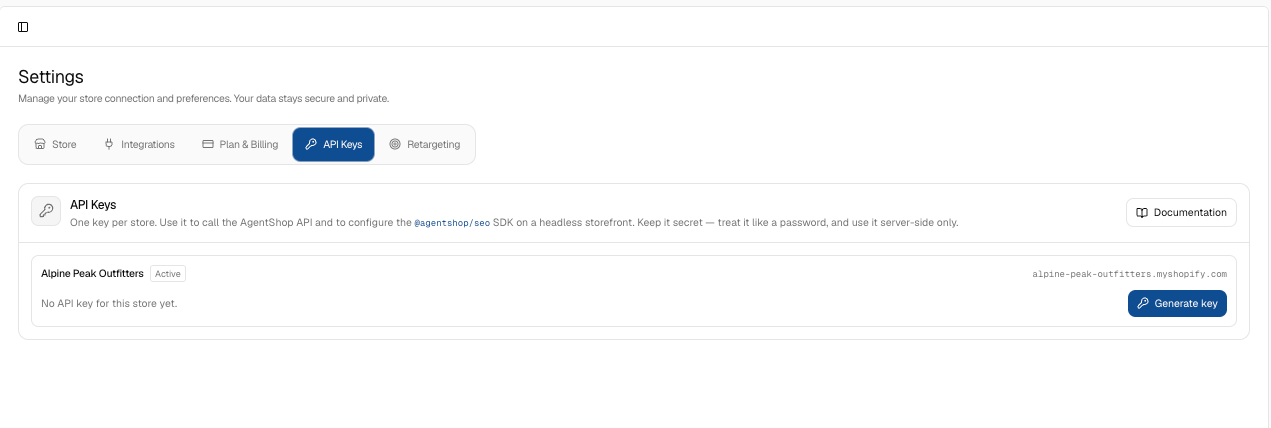
@agentshop/seo SDK on a headless storefront. Treat this like a password: keep it secret, use it server-side only, and never expose it in client code. The panel shows the key (masked, with reveal and copy), when it was created and last used, a link to Documentation, and a Rotate key option to issue a new one if it’s ever exposed. If you’re not running a headless setup or building on the API, you can safely ignore this tab.
Screen Reference
agentShop Settings: Store, Integrations, and Billing
Configure your store connection, GA4 integration, billing plan, API keys, and retargeting ad accounts from the agentShop Settings screen.
Settings is where you manage your store connection and preferences — the plumbing that makes everything else work. The guiding principle is stated right at the top: your data stays secure and private, and agentShop reads from your store without ever changing or charging it. There are five tabs.
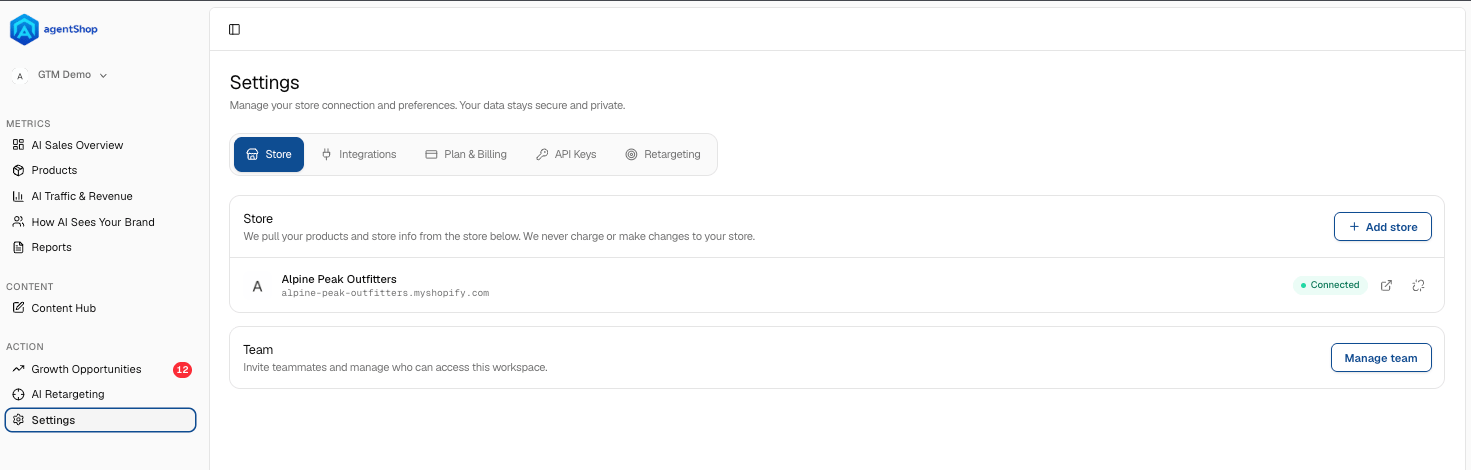
Store. This is the connection to the store agentShop pulls your products and data from — shown with its status (Connected) and controls to open or re-sync it. The reassurance here matters: agentShop only reads your catalog and store info; it never makes changes or charges to your store. You can Add store if you run more than one, and the Team section lets you invite teammates and manage who can access the workspace — use Manage team to control access.
Integrations. This is where you connect Google Analytics 4, and it’s deliberately read-only — agentShop measures AI-assistant traffic and revenue against your own GA4 data, it doesn’t write to it. You’ll see the tracking property it’s reading, a Disconnect option, and two expandable panels: What counts as AI traffic (how sessions get classified) and Connection health (whether the link is working). This GA4 connection is what powers the honest, cross-checked attribution you see on the Traffic & Revenue page — worth connecting early.
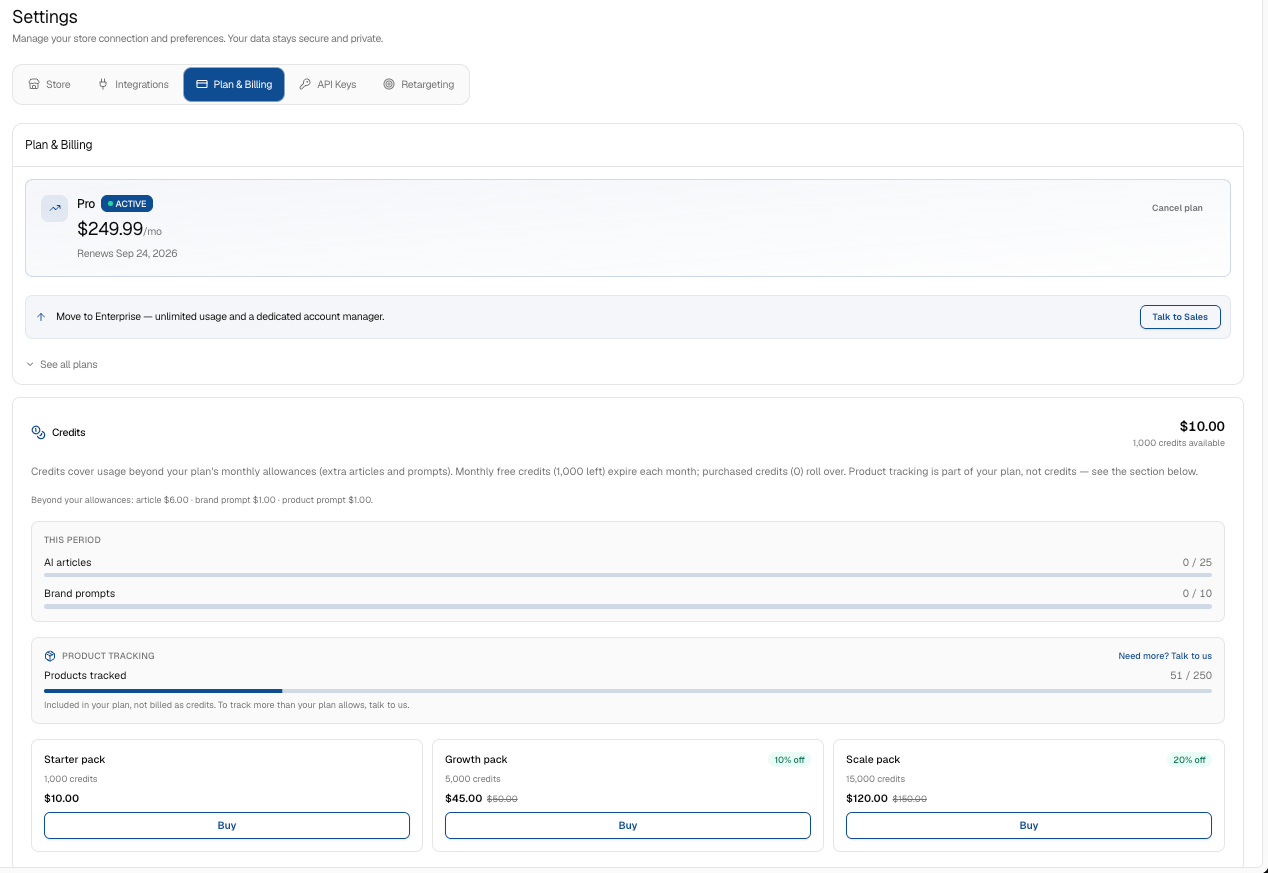
Plan & Billing. Your current plan and what it includes — tracked products, AI articles, AI prompts, and higher-tier features like continuous recommendations, autonomous agents, MCP server access, and a dedicated account manager. See all plans compares tiers. Below that, Credits explains the usage model in plain terms: credits only come into play for usage beyond your plan’s monthly allowances (extra articles and prompts), with per-item rates shown. Monthly free credits expire each month while purchased credits roll over, and product tracking is part of the plan rather than credit-based. On an unlimited plan, the usage bars simply read “Unlimited” and no credits are needed — this section is mostly relevant if you’re on a metered tier.
API Keys. One key per store, used to call the agentShop API and configure the
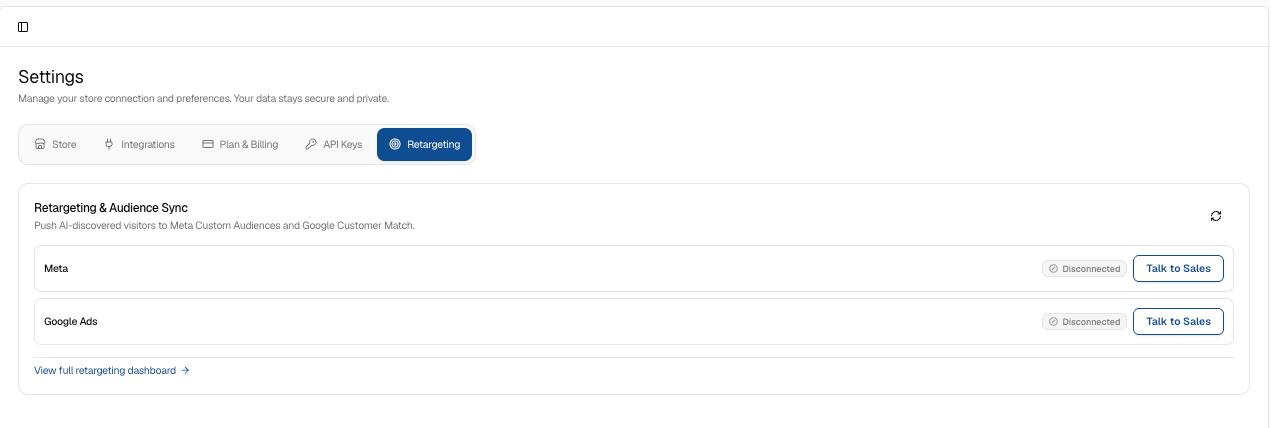
Retargeting. A quick-connect view of the same ad-platform links from the AI Retargeting page — Meta and Google Ads, each showing connected/disconnected status with a connect button. It’s the shortcut for wiring up Custom Audiences and Customer Match, and View full retargeting dashboard jumps to the detailed AI Retargeting page for the attribution and journey data.
In short: Store connects your catalog, Integrations connects GA4 for honest measurement, Plan & Billing governs what you can use, API Keys is for developers on headless or the API, and Retargeting wires up your ad audiences — all under the standing promise that agentShop reads your data without altering your store.
Related topics
Screen Reference: Every agentShop Screen at a GlanceTroubleshooting Common agentShop IssuesQuick Start: Connect Shopify and Run Your First Brand AuditagentShop AI Sales Overview: Your Revenue Command CenterReports Reference: Every agentShop Report Explained