

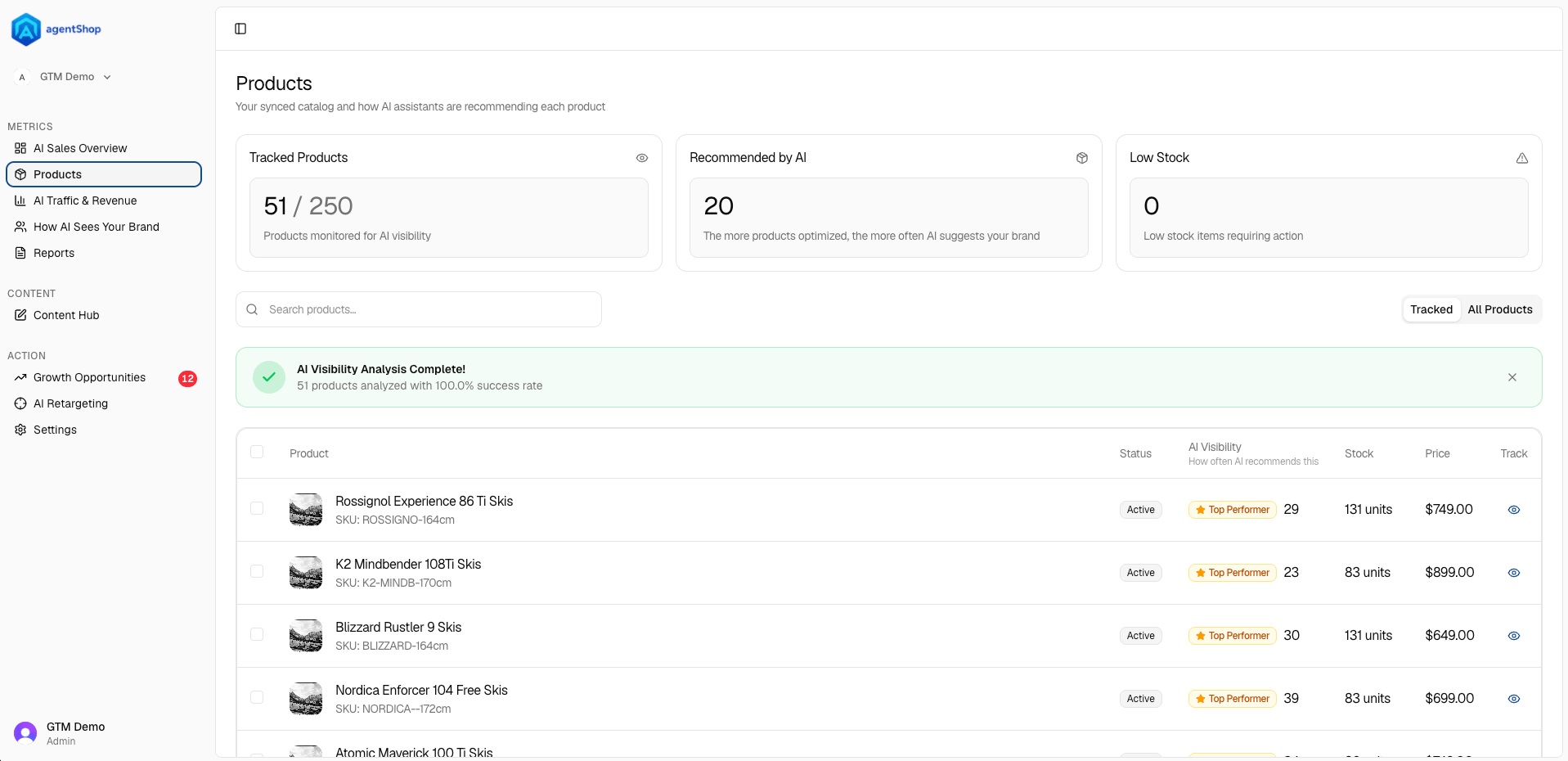
Put simply: the cards tell you how much of your catalog AI is already recommending, and the table tells you which specific products to fix next — start with the zero-mention items that you actually have in stock.
Screen Reference
Products: AI Visibility Scoring Across Your Shopify Catalog
See every product scored by how often AI recommends it, find zero-visibility items instantly, and take action to improve AI discoverability.
The Products screen is your full catalog seen through one lens: how AI assistants are recommending each product. It’s the same list of everything you sell, but scored by how often AI actually puts each item forward when a shopper asks — so you can tell at a glance which products are getting chosen and which are invisible.
The three cards up top frame the state of play. Tracked Products is how many products are being monitored for AI visibility. Recommended by AI is how many AI currently suggests — and the gap between that and your tracked count is the whole opportunity: as the note says, the more products you optimize, the more often AI suggests your brand. Low Stock flags items that need restocking, so you’re not spending effort pushing something you can’t fulfill.
The search box and the Tracked / All Products toggle let you narrow the list — switch to All Products to see the entire catalog, or Tracked to focus on what’s actively monitored, and search by name or SKU to jump to a specific item.
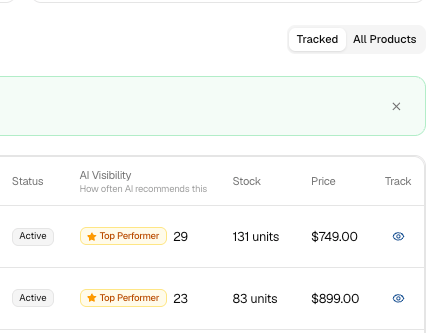
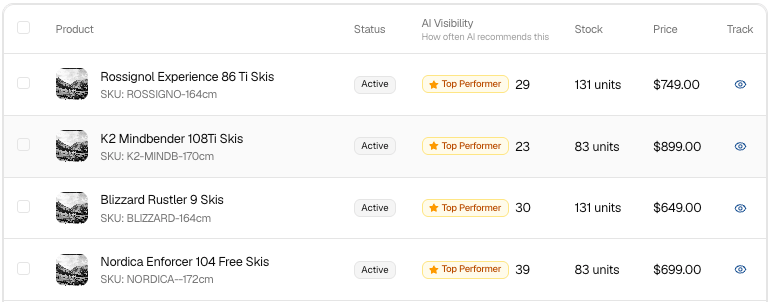
The table is where the real signal is. Each row shows the product (with SKU and image), its Status (Active, etc.), and the key column — AI Visibility, i.e. how often AI recommends this. You’ll see either a number of mentions or “0 mentions” next to an Improve Visibility link. Zero mentions means AI never brings that product up — those are your priorities, and clicking Improve Visibility (or the product’s name) opens that product’s page so you can work on it. Stock and Price sit right in the row so you can weigh which products are worth the effort, and each row also has a Track / Untrack toggle and an Edit Product button.
One practical tip: sort your attention by the AI Visibility column, not by what sells best today. A strong product with healthy stock but zero AI mentions is exactly where a little optimization turns into new recommendations — and new orders.
At the bottom, pagination shows how much of your catalog you’re paging through, and the checkboxes let you select multiple products at once for bulk actions.
Related topics
Quick Start: Connect Shopify and Run Your First Brand AuditHow to Optimize a Product Page for AI RecommendationsBrand Audit: Scan and Score Your AI Shopping VisibilityHow AI Sees Your Brand: Share of Voice and VisibilityAI crawler visibility
