> ## Documentation Index
> Fetch the complete documentation index at: https://docs.useagentshop.com/llms.txt
> Use this file to discover all available pages before exploring further.
# Brand Audit: Scan and Score Your AI Shopping Visibility
> Scan how AI shopping assistants see your store, find where you are being overlooked, and get a ranked list of fixes to address each gap.
**What a Brand Audit does:** People now ask AI what to buy. The problem isn't being *listed* — it's being *chosen*. A Brand Audit scans how AI platforms actually see your store, scores where you're getting overlooked, and hands you the specific fixes to close the gap. It runs in a few clicks and takes a couple of minutes.
**1. Open your store.** From the dashboard, click your store name (agentShop) in the top left to open its workspace. This is your home base — it shows whether your products are currently available to AI shopping and it's where you launch a new audit.
**2. Run the Brand Audit.** Set your time window (Last 30 days works for most), then click **Run Brand Audit**. agentShop scans how AI platforms read your store across the dimensions that decide whether your products get recommended. Give it a moment to finish.
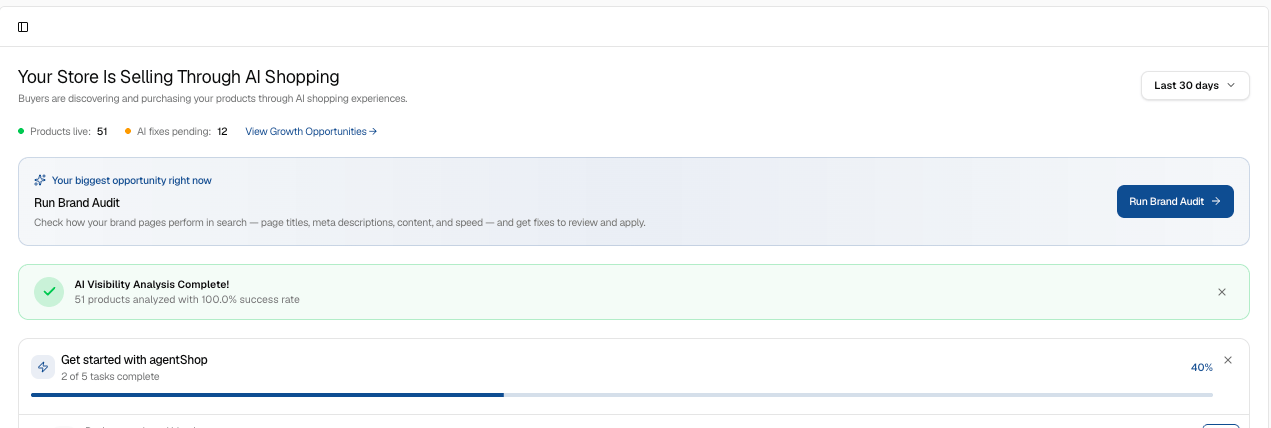 **3. See how AI sees your store.** The top panel shows how AI perceives your store right now. Scores read low until the scan fully populates — that's your baseline. This is where AI overlooks you today, and the number you're about to improve.
**4. Check your Brand Identity.** Open **Brand Identity** to see how AI describes your brand and who it thinks you sell to — your brand description and target audience, in AI's own words. If that doesn't match how you'd describe yourself, you've found your first gap.
**5. Review your Competitive Position.** Click **Competitive Position** to see which brands AI surfaces alongside or instead of you when shoppers ask for products like yours. Listed isn't chosen — this shows you exactly who's getting chosen in your place.
**6. Look at your Brand Prompts.** Open **Brand Prompts** to see the real questions shoppers ask AI in your category, and how your store shows up — or doesn't — for each one. These are the prompts driving discovery, so this is where visibility is won or lost.
**7. Open the full Brand Audit report.** Click **Brand Audit** to open the complete report: your overall score plus the breakdown of what's helping and hurting your visibility. Everything from here is about turning that score into an action list.
**3. See how AI sees your store.** The top panel shows how AI perceives your store right now. Scores read low until the scan fully populates — that's your baseline. This is where AI overlooks you today, and the number you're about to improve.
**4. Check your Brand Identity.** Open **Brand Identity** to see how AI describes your brand and who it thinks you sell to — your brand description and target audience, in AI's own words. If that doesn't match how you'd describe yourself, you've found your first gap.
**5. Review your Competitive Position.** Click **Competitive Position** to see which brands AI surfaces alongside or instead of you when shoppers ask for products like yours. Listed isn't chosen — this shows you exactly who's getting chosen in your place.
**6. Look at your Brand Prompts.** Open **Brand Prompts** to see the real questions shoppers ask AI in your category, and how your store shows up — or doesn't — for each one. These are the prompts driving discovery, so this is where visibility is won or lost.
**7. Open the full Brand Audit report.** Click **Brand Audit** to open the complete report: your overall score plus the breakdown of what's helping and hurting your visibility. Everything from here is about turning that score into an action list.
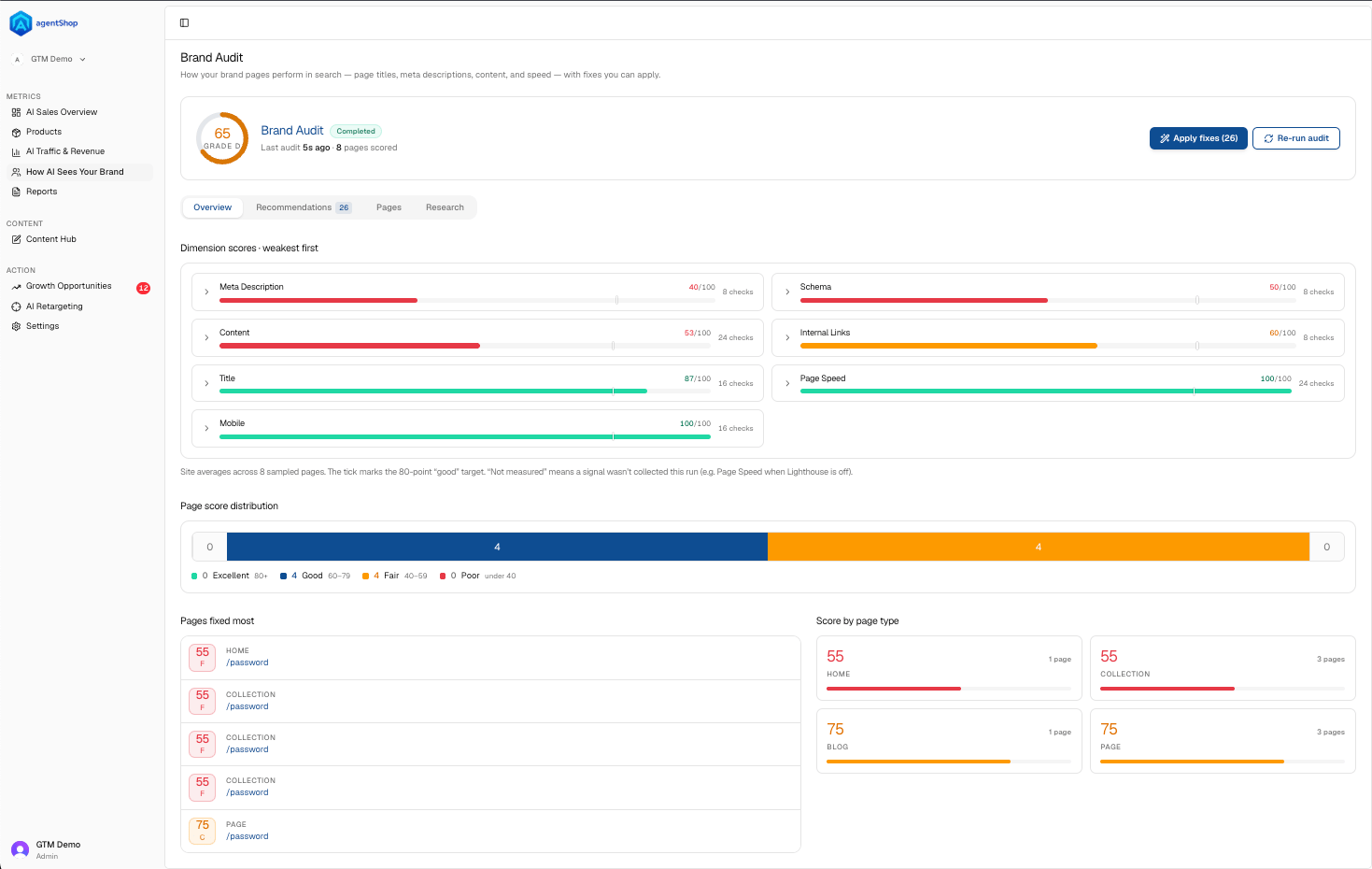 **8. Start with the Overview.** The **Overview** tab shows your dimension scores — things like Schema and Content — with the weakest first. Start at the top. That's where a fix gives you the most lift.
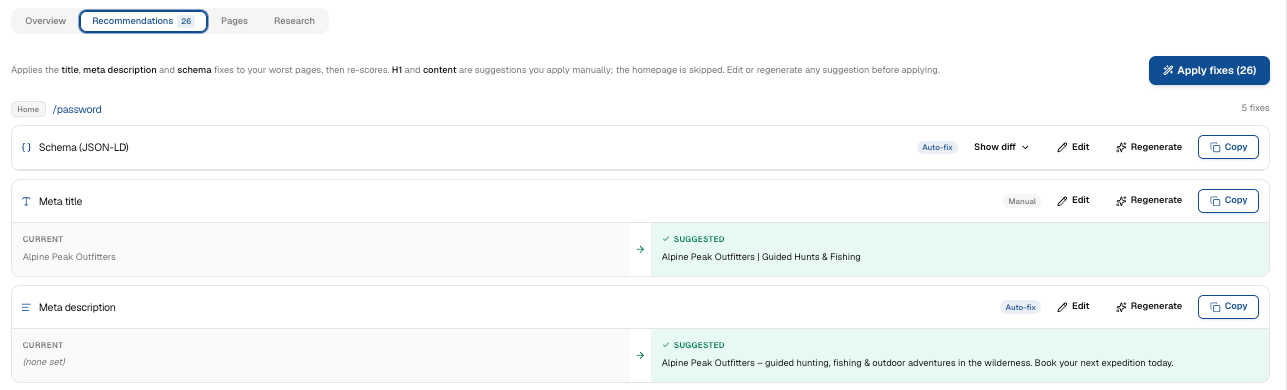
**9. Go through the Recommendations.** The **Recommendations** tab lists the specific fixes, ranked by impact — the exact changes to your product data and content that move you from listed to chosen. This is your to-do list.
**8. Start with the Overview.** The **Overview** tab shows your dimension scores — things like Schema and Content — with the weakest first. Start at the top. That's where a fix gives you the most lift.
**9. Go through the Recommendations.** The **Recommendations** tab lists the specific fixes, ranked by impact — the exact changes to your product data and content that move you from listed to chosen. This is your to-do list.
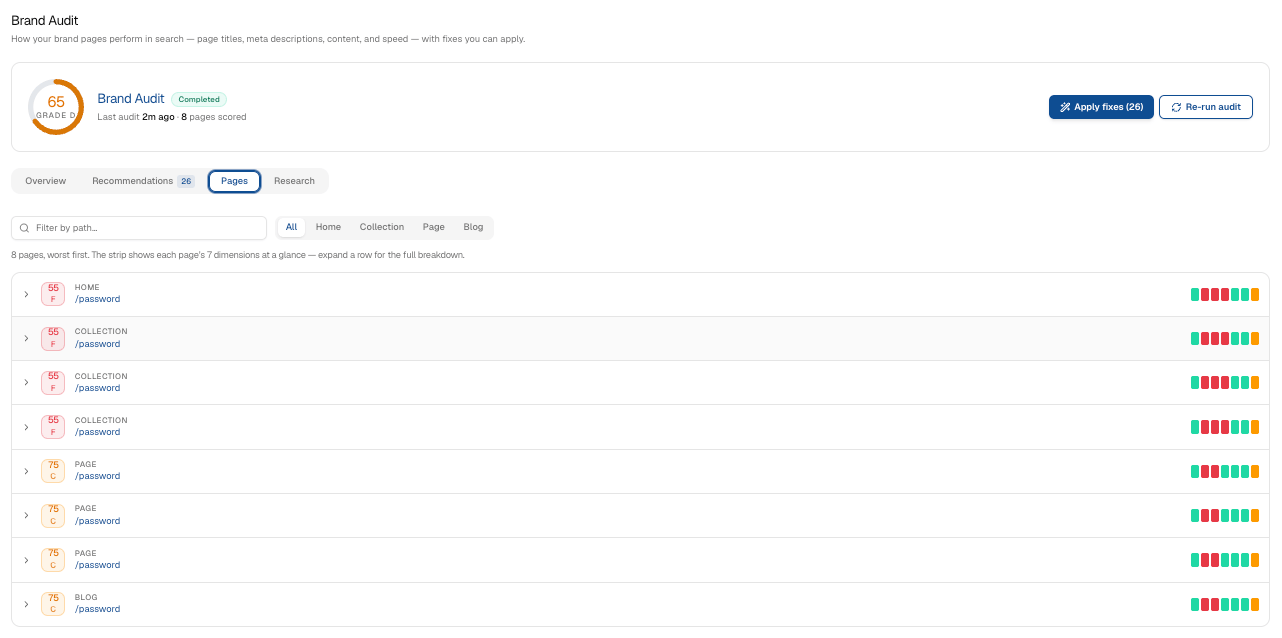
 **10. Review the Pages.** The **Pages** tab breaks the fixes down page by page — title, meta description, and schema (JSON-LD) — each with its own score, so you can see which pages are dragging you down and why.
 **11. Check the Research.** The **Research** tab shows the evidence behind each recommendation — the page tests and prompt results the audit ran. If you want to know *why* a fix is suggested, it's here.
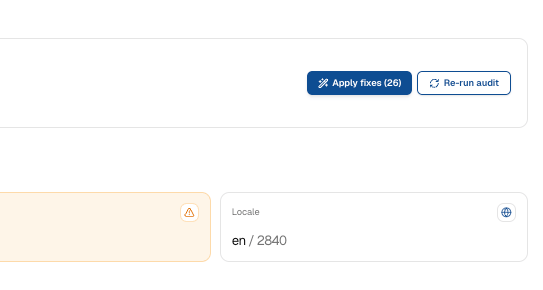
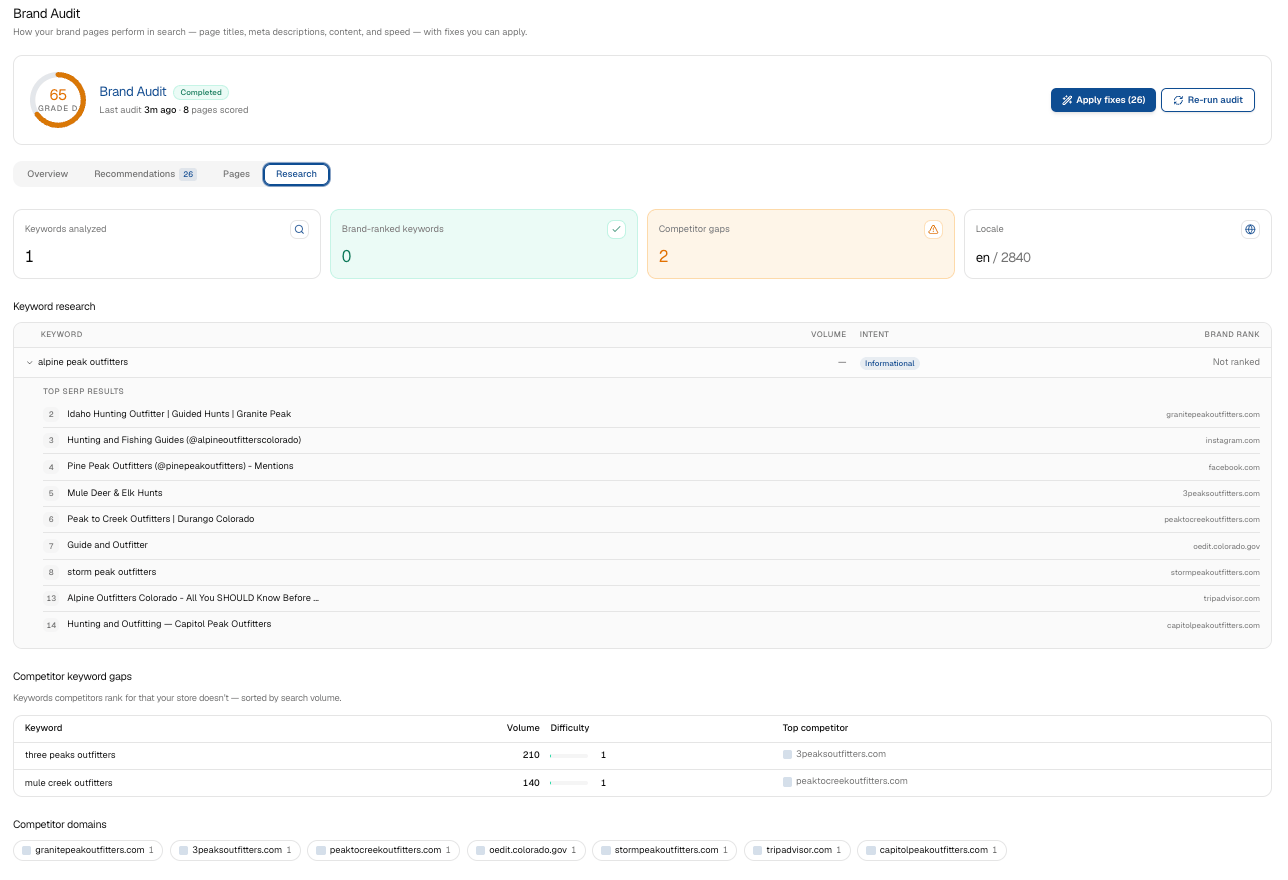 **12. Apply the fixes.** The audit's fixes are **saved automatically** to your products and pages — there isn't a single "Apply Fixes" button that pushes everything live. To publish them to your storefront, enable the **"AgentShop SEO Injection" app embed** once in your Shopify theme editor. This publishes structured-data, canonical, and social tags at the SEO layer, so your published scores start reflecting the fixes. Then re-run the audit to watch the score move.
 ## Related topics
- [agentShop User Guide: Get Chosen by AI Assistants](/user-guide/introduction.md)
- [How to Optimize a Product Page for AI Recommendations](/user-guide/workflows/optimize-product-page.md)
- [How AI Sees Your Brand: Share of Voice and Visibility](/user-guide/screens/how-ai-sees-your-brand.md)
- [Quick Start: Connect Shopify and Run Your First Brand Audit](/user-guide/quickstart.md)
- [Troubleshooting Common agentShop Issues](/user-guide/troubleshooting.md)
## Related topics
- [agentShop User Guide: Get Chosen by AI Assistants](/user-guide/introduction.md)
- [How to Optimize a Product Page for AI Recommendations](/user-guide/workflows/optimize-product-page.md)
- [How AI Sees Your Brand: Share of Voice and Visibility](/user-guide/screens/how-ai-sees-your-brand.md)
- [Quick Start: Connect Shopify and Run Your First Brand Audit](/user-guide/quickstart.md)
- [Troubleshooting Common agentShop Issues](/user-guide/troubleshooting.md)