> ## Documentation Index
> Fetch the complete documentation index at: https://docs.useagentshop.com/llms.txt
> Use this file to discover all available pages before exploring further.
# How AI Sees Your Brand: Share of Voice and Visibility
> Understand how often AI mentions your brand, where you rank against competitors, and which shopper questions you're missing entirely.
**How AI Sees Your Brand** is the brand-level view of the "get chosen" question. Where the Products screen scores individual items, this page zooms out to your whole brand: when shoppers ask AI assistants about products like yours, how often does your brand come up, where do you rank against competitors, and which questions are you winning or missing? The line at the top says it plainly — the share of relevant queries you're mentioned in, the change versus last period, and whether you've been detected among the other brands tracked alongside you.
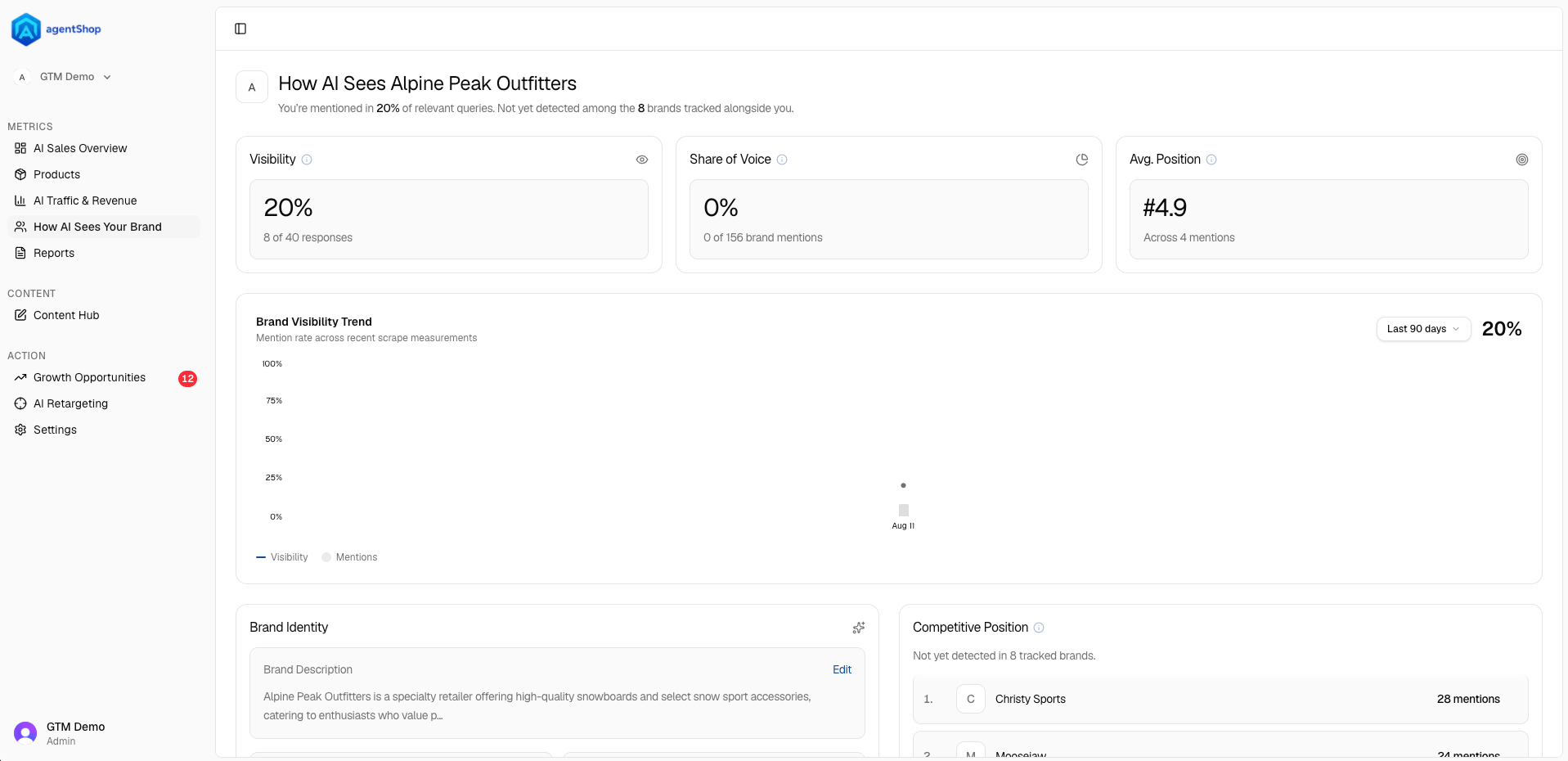 **The three cards** are your brand-level scorecard. **Visibility** is the share of AI responses that mention you (with the count behind it, and the trend). **Share of Voice** is your slice of all brand mentions across those answers — your presence relative to everyone else. **Avg. Position** is where you typically land when you *are* mentioned. Early on it's normal to see strong-ish visibility but low share of voice and no position yet — that means AI occasionally names you, but competitors own most of the conversation.
**The Brand Visibility Trend** charts your mention rate over recent scrapes, so you can see whether the work is moving the number. As with the other screens, set the longest date window your data supports to read the real trajectory. You can toggle between Visibility and raw Mentions.
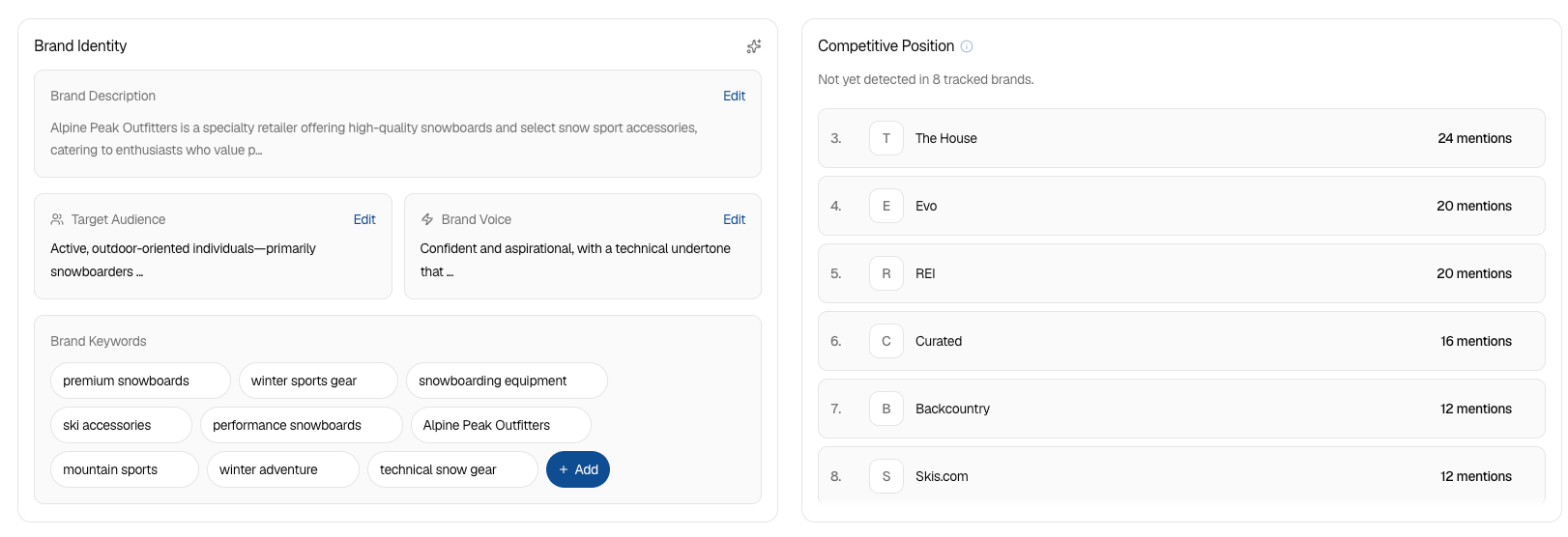
**Brand Identity** is the part you control — and it feeds everything else. It holds your **Brand Description**, **Target Audience**, **Brand Voice**, and a set of **Brand Keywords**, all editable (and you can add keywords or regenerate). This is how you tell agentShop — and by extension, AI — who you are and who you sell to. Keep it accurate and specific; a vague identity gives AI little reason to recommend you for the right queries.
**Competitive Position** shows the brands getting chosen in the same space, ranked by mentions — the established names in your category. It's a blunt but useful reality check: "not yet detected among the tracked brands" means the recommendations are going to them, not you. This is your target list to close the gap against.
**The three cards** are your brand-level scorecard. **Visibility** is the share of AI responses that mention you (with the count behind it, and the trend). **Share of Voice** is your slice of all brand mentions across those answers — your presence relative to everyone else. **Avg. Position** is where you typically land when you *are* mentioned. Early on it's normal to see strong-ish visibility but low share of voice and no position yet — that means AI occasionally names you, but competitors own most of the conversation.
**The Brand Visibility Trend** charts your mention rate over recent scrapes, so you can see whether the work is moving the number. As with the other screens, set the longest date window your data supports to read the real trajectory. You can toggle between Visibility and raw Mentions.
**Brand Identity** is the part you control — and it feeds everything else. It holds your **Brand Description**, **Target Audience**, **Brand Voice**, and a set of **Brand Keywords**, all editable (and you can add keywords or regenerate). This is how you tell agentShop — and by extension, AI — who you are and who you sell to. Keep it accurate and specific; a vague identity gives AI little reason to recommend you for the right queries.
**Competitive Position** shows the brands getting chosen in the same space, ranked by mentions — the established names in your category. It's a blunt but useful reality check: "not yet detected among the tracked brands" means the recommendations are going to them, not you. This is your target list to close the gap against.
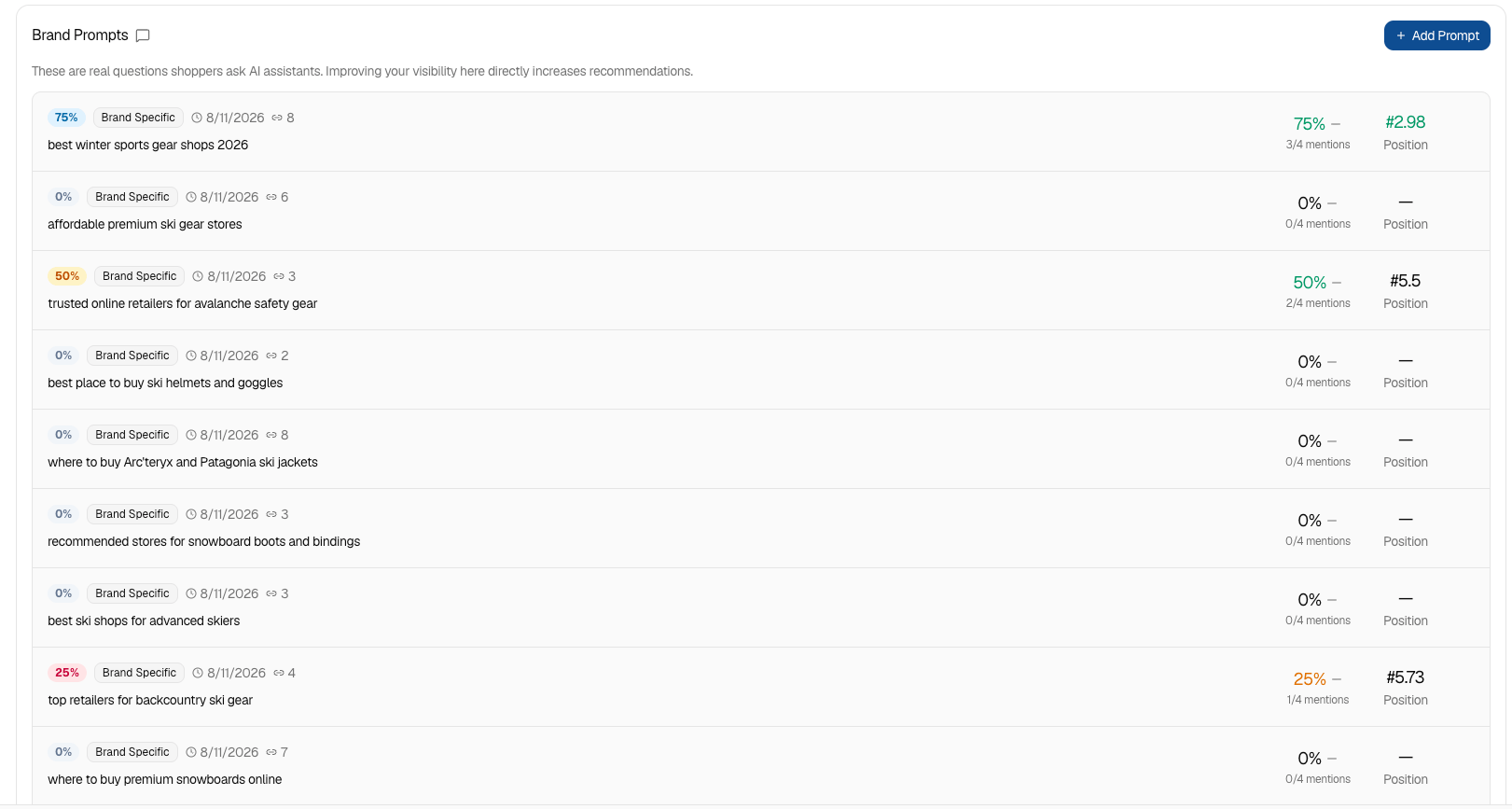
 **Brand Prompts** is the most actionable section. These are the real questions shoppers ask AI assistants, each with your visibility on that prompt, its category (Product Discovery, Recommendations, General), and your mention count and position. A prompt sitting at 0% is one where AI never brings you up; a prompt at 50% is one you're halfway to owning. Because improving visibility here directly increases recommendations, this list is effectively your priority queue — and you can **Add Prompt** to track a question that matters to you.
 **Brand Audit** at the bottom checks how your brand *pages* perform — titles, meta descriptions, content, and speed — and hands back fixes to apply. Note the status: if it shows **Failed** or "scores aren't available for this run yet," the last audit didn't complete, so just re-run it to get current scores across the Overview, Pages, and Research tabs.
Put together: the cards and trend tell you whether AI is recommending your brand at all, Competitive Position tells you who's beating you, Brand Identity is the lever you tune, and Brand Prompts is the concrete list of questions to go win — one prompt at a time.
## Related topics
- [Quick Start: Connect Shopify and Run Your First Brand Audit](/user-guide/quickstart.md)
- [agentShop User Guide: Get Chosen by AI Assistants](/user-guide/introduction.md)
- [agentShop Glossary: Key AI Commerce Terms Explained](/user-guide/glossary.md)
- [Brand Audit: Scan and Score Your AI Shopping Visibility](/user-guide/workflows/brand-audit.md)
- [Reports Reference: Every agentShop Report Explained](/user-guide/reports/reference.md)
**Brand Audit** at the bottom checks how your brand *pages* perform — titles, meta descriptions, content, and speed — and hands back fixes to apply. Note the status: if it shows **Failed** or "scores aren't available for this run yet," the last audit didn't complete, so just re-run it to get current scores across the Overview, Pages, and Research tabs.
Put together: the cards and trend tell you whether AI is recommending your brand at all, Competitive Position tells you who's beating you, Brand Identity is the lever you tune, and Brand Prompts is the concrete list of questions to go win — one prompt at a time.
## Related topics
- [Quick Start: Connect Shopify and Run Your First Brand Audit](/user-guide/quickstart.md)
- [agentShop User Guide: Get Chosen by AI Assistants](/user-guide/introduction.md)
- [agentShop Glossary: Key AI Commerce Terms Explained](/user-guide/glossary.md)
- [Brand Audit: Scan and Score Your AI Shopping Visibility](/user-guide/workflows/brand-audit.md)
- [Reports Reference: Every agentShop Report Explained](/user-guide/reports/reference.md)